
There’s no getting away from it – AI is everywhere in the Google Ads platform. For a long time, Google has been forcing us down a path that many did not want to venture, worried that we’ll lose control over our budgets and creatives.
In many ways, with the introduction of PMax, this has already happened – but are these AI features all bad? Discover the best built-in AI features that could add value to your Google Ad campaigns.
1. Ad creation in Asset Studio
The ‘Asset Studio’ is where you’ll find most of Google’s built-in AI tools for ad creation. There is a whole raft of exciting things you can do here, from generating images for your campaign to editing in bulk and creating videos:
- Create new images
- Create lifestyle images
- Animate images
- Edit images
- Bulk edit images
- Create and edit videos
- Add voice-overs
The AI image-generation tool Nano Banana is now part of the Google Ads interface. It allows you to generate images using simple prompts. What’s more, it draws on the images you’ve already uploaded, integrating them into its output.
Notable also is VEO 3.1, a new addition to the asset studio. This integration converts static images into high-quality videos directly within the platform, enhancing your ad assets without requiring external tools or software.
This is one of the most cost-effective ways to produce assets to use across your campaigns, but the results can vary. As with most AI tools, the output is only as good as the prompt you give it, so try testing one or two different descriptions.
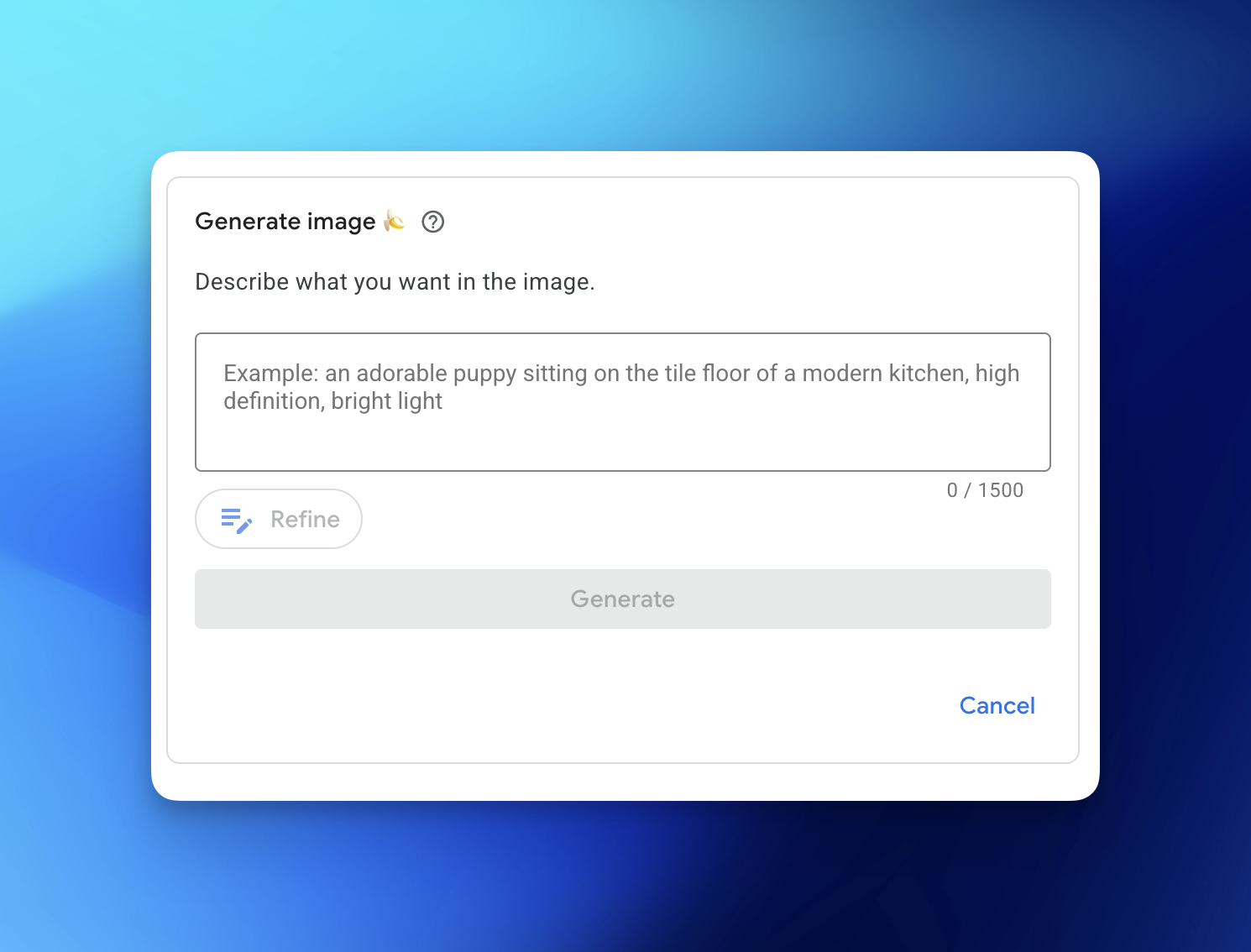
Inside Asset Studio, you can animate static images to create short-form clips, bulk edit up to 100 images at a time, and create and edit videos.
One of the most powerful AI features in Asset Studio is a tool that creates lifestyle images from product photos. Simply upload a product photo with a simple prompt, and Google will generate several lifestyle shots for you to choose from.
Nick Janaway, PPC specialist with more than 20 years of experience in the field, gives us his take.
“The AI image and video functionality available in ads is genuinely impressive. You should definitely take advantage of this feature if you don’t have access to a specialist team or agency to help with asset production. It’s not ready to replace them just yet, but it can make a real difference to campaign performance and set yourself apart from competitors. Remember, your prompts are key to generating a good output.”
Our rating: ⭐⭐⭐⭐⭐ (5/5)
2. Smart bidding
Smart bidding uses Google’s AI-powered machine learning to help you get the most out of your budget. Before you can do this, you need to know what you want to achieve from your campaign. Do you want to increase sales (leads), increase profit or just maximise efficiency? Start with your business goals and work down from there.
Smart bidding encompasses two main strategies:
- Maximise conversions:
Optimises the budget to get the most conversions (you need event tracking set up for this to work).
- Maximise conversion value:
Optimises the budget to earn the most likely clicks to produce the highest-value conversions (you’ll need to tell Google which conversions are worth the most to you).
You can also apply smart bid strategies to multiple campaigns by creating a portfolio. This opens up more options, including target CPA (cost per acquisition) and target ROAS (return on ad spend).
Bids are optimised in real time based on lots of signals, including user behaviour, device, location, time of day, and historical campaign data. The greater the volume of high-quality data, the more likely this is to work for you.
Nick’s take on smart bidding:
“The smart bidding functionality is only as strong as your conversion event set up and data you provide to Google, even then Google can sometimes get it wrong. If you have the fundamentals right and have a clearly defined strategy and account architecture, implementing the right smart bidding strategy can add a lot of value. Without this in place, it’s not very helpful.”
Our rating: ⭐⭐⭐ (3/5)
3. Ads Advisor
Ads Advisor is Google’s built-in AI assistant on hand to help at every stage of creating and managing campaigns. You can ask questions in natural language, just as you would with ChatGPT or Claude.
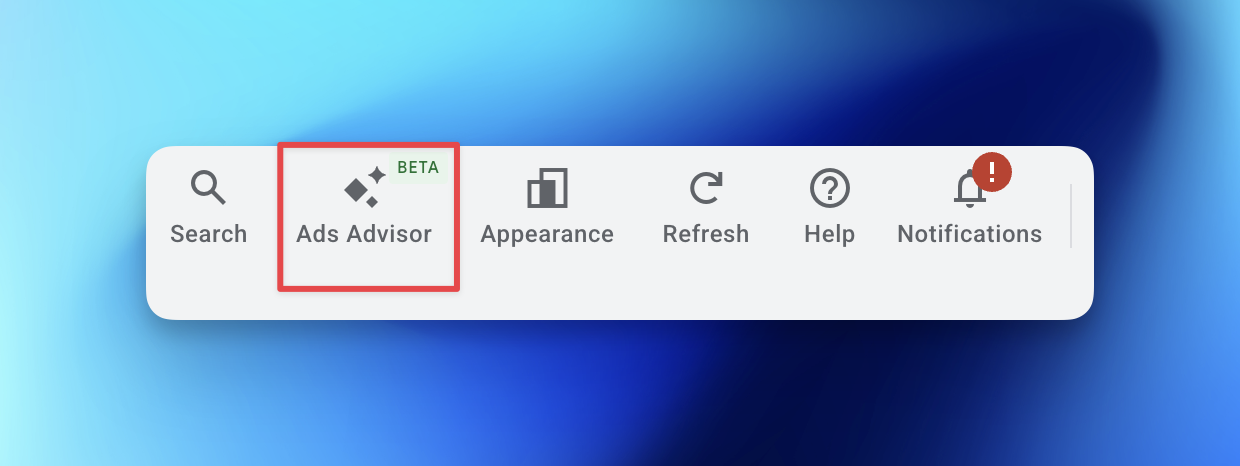
Ask it to help you craft headlines and descriptions, test ad copy, find keyword opportunities, run reports that show you key metrics like ROAS, and set up conversion tracking.
Its superpower is in diagnostics and troubleshooting. You can ask why ads performance has dropped or why your ads aren’t running.
Top tips for using Ads Advisor in Google Ads:
- Talk to it like you would a human using natural language.
- Use follow-up questions to delve deeper into a topic.
- Take advantage of the suggested responses to explore areas you hadn’t considered.
- Ensure your questions are clear and detailed.
- Try to be specific, mention particular campaigns, ads, and keywords.
Nick’s take on Ads Advisor:
“In theory this should be a useful feature within the platform, but in my opinion this is one of the weaker AI offerings from Google and more often than not gets in the way of the interface. I haven’t found many examples of genuinely helpful suggestions; very often it’s wrong or inaccurate for key details. I regularly see issues with the suggestions. For example, local campaigns with incorrect location suggestions, and the same for products. Keep a human in control of this area for the foreseeable future.”
Our rating: ⭐⭐ (2/5)
4. Google Ads recommendations
Inside your Google Ads account, you’ll find a section for ‘recommendations’. This feature analyses performance, settings, and trends using AI to find opportunities for improvement. You can view your recommendations at the account, campaign, or ad group level.
At the top of the page, you’ll see your optimisation score, which is an estimate of how well Google thinks your campaign will perform based on what you’ve told it you want to achieve, e.g. maximum conversions.
Applying the recommendations will improve your optimisation score – but that doesn’t mean you have to follow everything it suggests blindly. Some of the recommendations are quite cynical and likely aimed at increasing how much you spend.
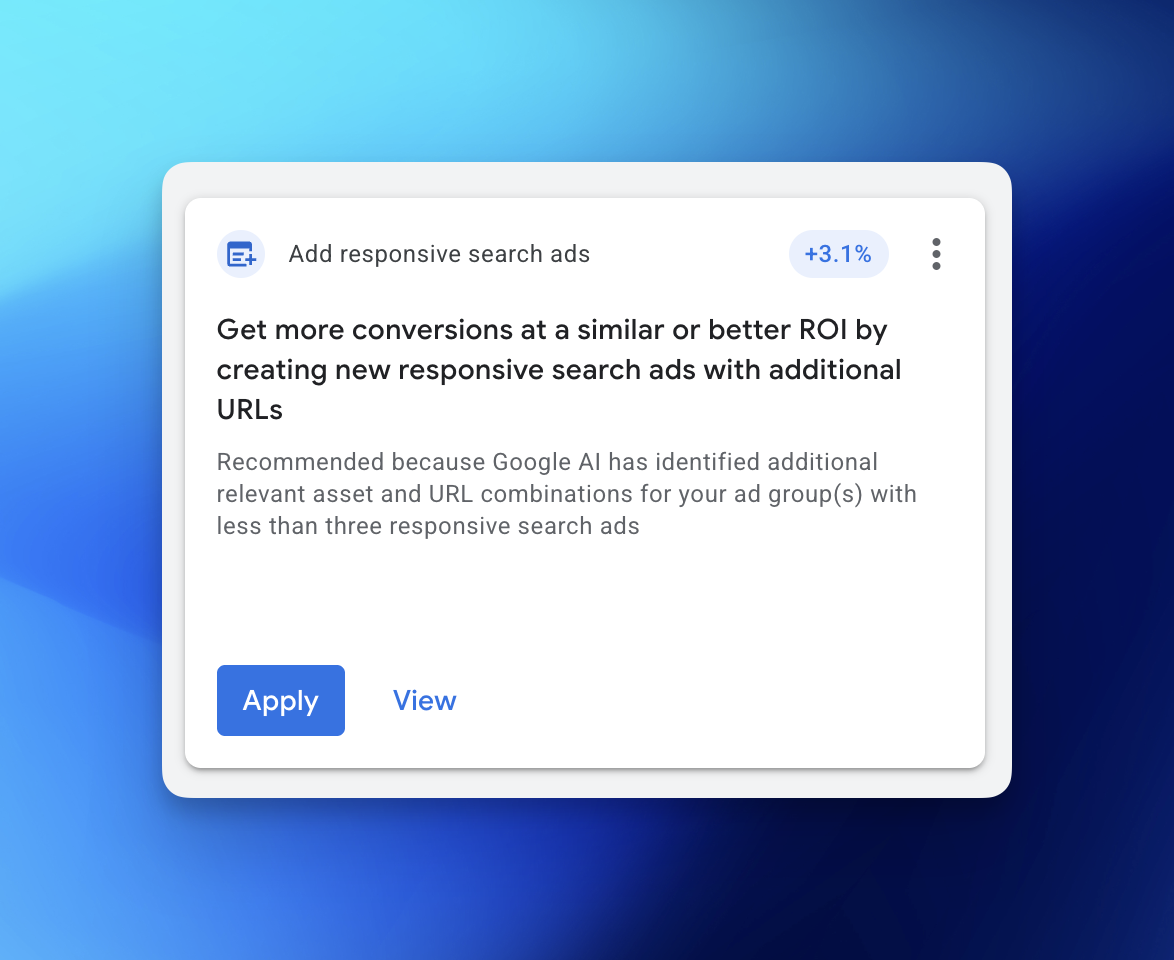
Use your best judgement to decide what’s worth implementing and what’s unlikely to move the needle.
Adding images to improve click-through rate sounds like sensible advice, but further up the page, Google’s AI also recommends using broad-match keywords and downloading its app to monitor performance on the go – both are likely to benefit Google.
There is also the option to auto-apply some types of recommendations, but proceed with caution. While it might sound like you’re getting a good deal by letting Google optimise your account for you, in reality, you’re losing control.
Our advice is to review the recommendations manually as part of your ongoing management and only implement the suggestions that seem like a good fit.
Nick’s opinion on Google Ads recommendations:
“Very often these recommendations are designed to give up control over to Google and automation. There are many examples where this isn’t beneficial and could mean you increase budgets or change strategy and structure. Be careful what you accept, you may open the door to a lot of irrelevant search queries and wasted budget if Google doesn’t understand the nuance of your business. We see this regularly!”
Our rating: ⭐⭐ (2/5)
5. Google AI Max
AI Max gives you the option to automate some tasks using AI. According to Google, it’s a way for you to achieve more with minimal manual intervention.
There are several areas where you can get AI Max involved; the most popular include:
- “Keywordless technology”: AI Max promises to go beyond traditional keyword lists by serving your ads to users based on their search intent, so more of the right people will see them.
- Final URL expansion: Similar to keywordless tech, this AI Max feature provides a landing page for users based on their search intent rather than using the predefined list of URLs provided.
- Dynamic text customisation: This feature automatically generates headlines and descriptions, based on existing content from ads and landing pages. This ensures that ads are relevant to user searches.
Unlike PMax, AI Max offers slightly more control and flexibility in certain setups. You can choose which features to use and which to ignore, and provide negation lists to maintain some control over this. This allows you to test or control individual features and try out combinations to see what works best.
Additionally, AI Max includes a reporting feature that lets you see where the AI’s automation has had an impact. This includes insights into search terms, keywords, and landing pages influenced by AI; take this with a pinch of salt. If you’ve set up the campaign thoroughly, AI will often replicate what is already in the campaign; however, it can, on occasion, find pockets of performance that contribute value to your campaign.
Nick’s take on AI Max:
“I’ve yet to be convinced by AI max regardless of how often Google promotes it. Fundamentally it has a broad remit. If your business sits within a large industry and you’re not too concerned how you target your customers and you have a high volume of quality audience and conversion data, it could be a good feature to test. If not, it will just overlap and cannibalise your current campaign architecture and add little or no value.”
Our rating: ⭐⭐ (2/5)
Final thought
If you’re struggling to navigate your way through the world of ads and need help from a person, not a bot, our PPC specialists have decades of experience using Google Ads. They’re well-versed in how to use AI to improve ad performance and know when a human touch is needed.