

If your business is running paid social ads, spending valuable time and money on Facebook and Instagram, A/B testing should be one of your best friends.
A/B testing done right can give you the data you need to ensure the ads you’re creating deliver the best performance.
Meta is a platform where trial and error are so important. It’s going to take some time to figure out what does and doesn’t work for your business.
In this blog, we provide an Instagram and Facebook ads guide that walks you through what A/B testing is, what you should be testing on Meta, how to set it up, and how to get your hands on performance insights.
What is A/B testing in Meta Ads Manager?
A/B testing is essentially comparing two (or more) variations of something to see which one is performing the best.
In Meta Ads Manager, you can test two versions of an ad, a graphic, a headline, ad copy, or even where the ads are placed on the social platform. By comparing two of the same format, you can see which is more likely to contribute to the ad’s success.
Meta makes it relatively easy to run A/B tests directly in Ads Manager. It even makes the testing process easier by splitting your budget and audience fairly between test groups so you can focus on the results.
Using A/B testing is considered best practice for running Instagram and Facebook ads. By using it to your advantage, you’ll see clearer data that helps you make informed decisions about your next paid social ad.
Why bother with A/B Testing?
Simple. A/B testing removes the guesswork.
Going through the testing process saves you so much of the work; that way, you can plan your next paid social ad without having to worry about the what-ifs.
Utilising this testing technique gives you the difference between hoping your ad will perform and knowing it will.
It’s not just about conversions, either; testing gives you the performance insights that can shape how you create your creative, how you adjust your audience targeting, and which campaign strategies and objectives you choose for your business.
What should you be testing?
You can pretty much test everything in your Meta campaigns, but here are some of the most common (and most effective).
For creative elements, you can try with different designs and colour schemes, change the layout of some elements, change the text on the creative, etc. This way, you can find what resonates best with your audience.
Colour and placement changes to creatives have a greater impact on a person’s likelihood of clicking through than might be expected.
Read more: Unveiling colour psychology in branding and marketing
When it comes to ad copy, you can test different headlines, CTAs, or change the tone of voice to see which messaging is more effective.
You can also test different audience segments, such as lookalike, retargeting, and interest-based audiences.
An incredibly important factor to get the conversion over the line is landing pages. Where you send people after they click on your ad can make a massive difference.
These options form the building blocks of your testing framework – a repeatable structure for experimenting and learning at scale.
Important tip: Test one thing at a time. If you change your image and your headline, you won’t know which one made the difference.
How to set up an A/B test in Meta Ads Manager: Step-by-step rundown
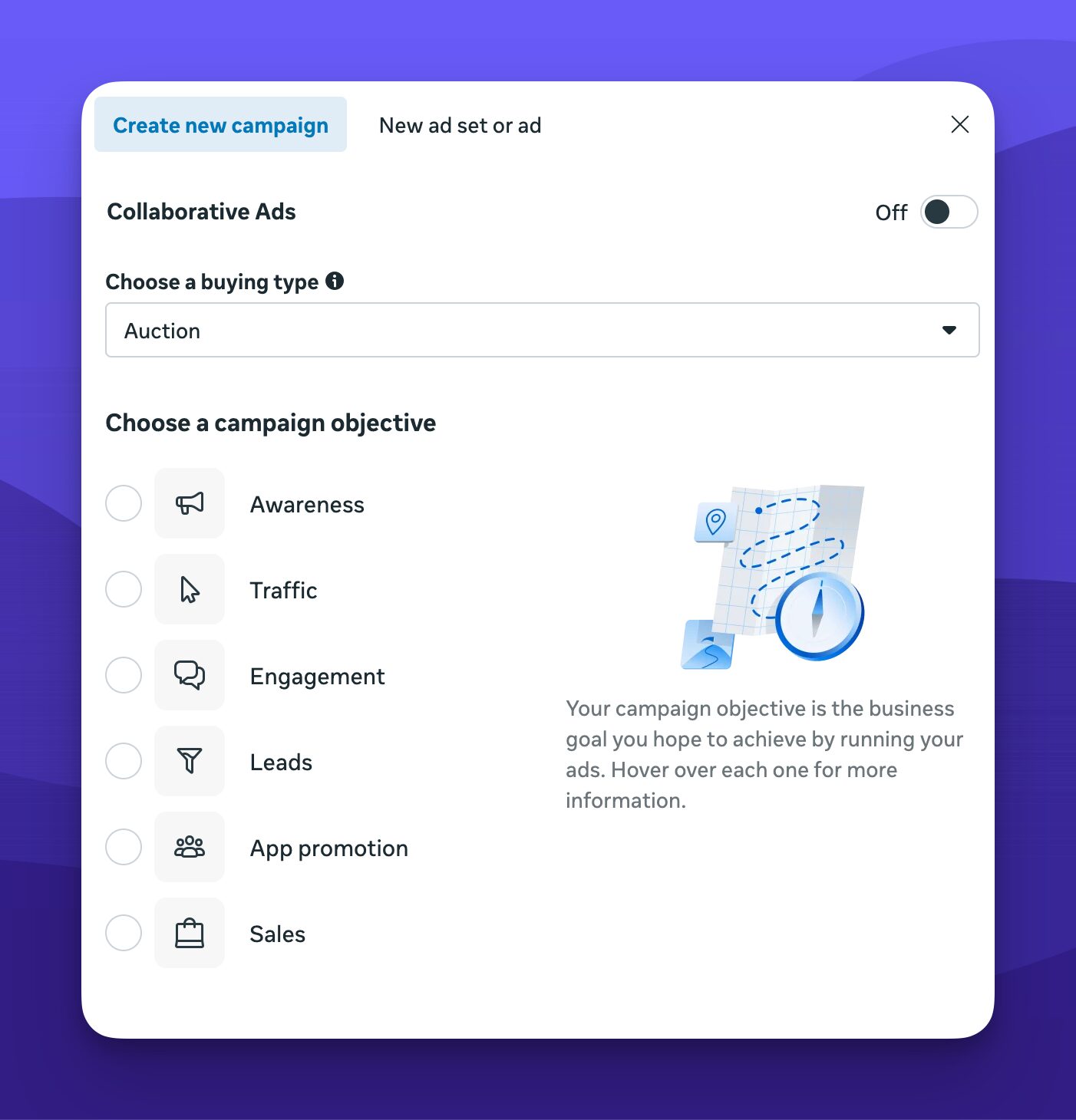
Create a new campaign in Ads Manager and choose your objective (conversions, traffic, leads, etc.)
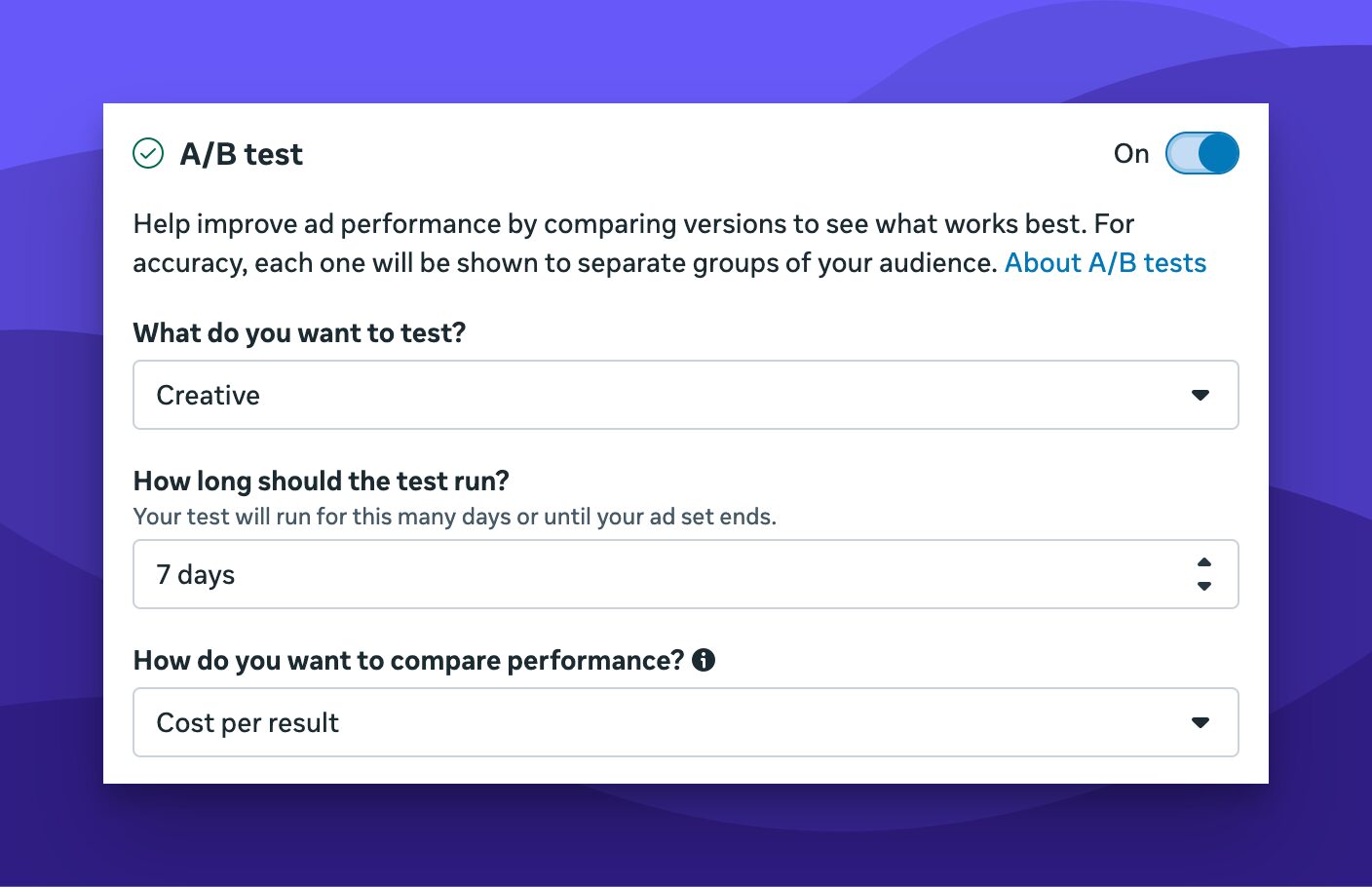
In the campaign settings, switch on A/B test. From there, choose what you want to test (e.g., creative, audience, placement), how long you want it to run, and how you’ll determine a winner.
Build out your variations, launch, and let it run. This setup is perfect for brands looking to make data-led decisions without getting overwhelmed.
Some tips for better results with A/B Testing
It’s important to be patient. Give the testing process enough time to collect useful data. Jump the gun, and the data you get (if you’re lucky to get any) will be minimal. Best practice is around a week minimum, with a happy medium being somewhere between one and two weeks.
Remember to stay consistent. Make only one change per test and keep everything else the same. Having a smaller number of changes gives you a clearer idea of what works and what doesn’t.
Know your goal: Are you optimising for clicks, conversions, or something else?
A final thought
Data is crucial for us as marketers.
By having the right data, companies can go from targeting the wrong audiences and getting no clicks to optimising their audiences, being as specific as possible, and achieving a much higher click-through rate.